⚡ OpenVue
A lightweight local HTTP file server based on Tauri 2 + Axum.
One-click launch, plugin extensions, multi-device preview — ready to go.


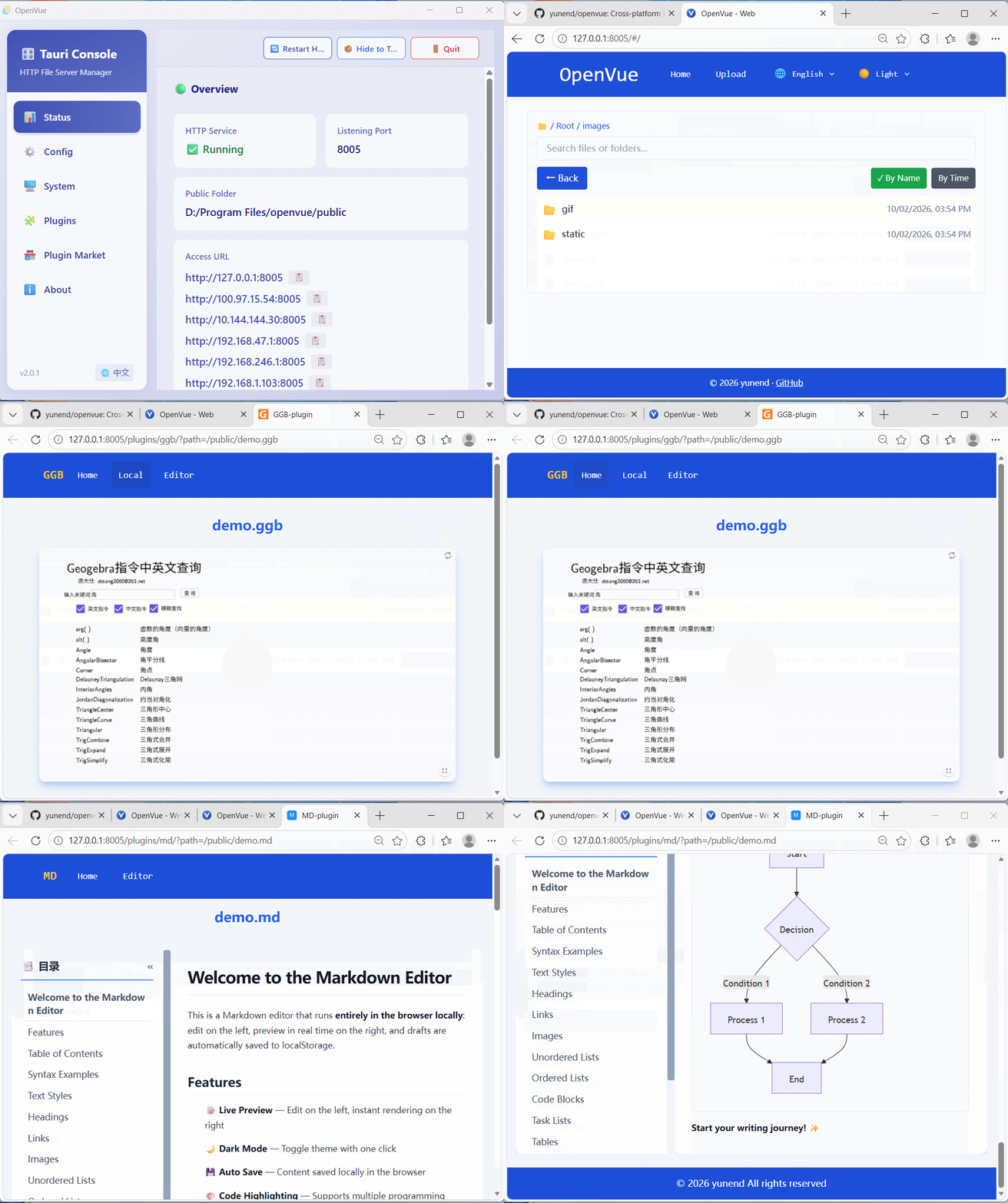
A lightweight local HTTP file server based on Tauri 2 + Axum.
One-click launch, plugin extensions, multi-device preview — ready to go.
Desktop app + HTTP server dual mode covers various use cases
Install and use immediately. Desktop app supports auto-start. HTTP server + Tauri GUI combine the best of both worlds — desktop control with browser convenience.
Extend file preview capabilities via HTML pages. Supports GeoGebra, Markdown, Office documents and more. Plugins are customizable, downloadable, and uninstallable.
Browse specified directories in the browser with file upload support. Access from any device on your local network — no extra tools needed.
Desktop Mode: Tauri window manages plugins & settings; Server Mode: pure HTTP backend, ideal for server deployment.
Built-in plugin marketplace. One-click download & install from remote indexes with auto hash verification. Update or uninstall anytime.
Built-in bilingual UI (EN/ZH). Both desktop and web pages support language switching to serve users worldwide.
Configure once, access anywhere
An OpenVue plugin is essentially a standard web page (HTML + CSS + JS) that renders files of a specific format. Create your own in just 3 steps!
Create a folder under plugins/ named after your plugin ID, e.g. my-viewer.
index.htmlBuild a preview page. Use the ?path= parameter to get the file URL, then load and render it.
plugin.jsonCreate plugin.json in the plugin directory to describe the plugin name, supported extensions, download sources, etc.
💡 When your plugin is ready, package it as a ZIP and submit it along with plugin.json to the
openvue-plugins
repository — it will be listed in the marketplace.
Download from Releases to get started, or build from source
git clone https://github.com/yunend/openvue.gitcd openvue && npm installcargo tauri dev (dev mode)cargo tauri build (production build)OpenVue is fully open source. All contributions are welcome — bug reports, feature suggestions, plugin submissions, documentation improvements, or code PRs — every bit helps!